Your launch email is already the post
You wrote the hard part once. AuthorSend turns that campaign into posts for every destination you publish to — written to fit each one, queued on the rhythm you set, published for you, and measured afterwards. Not a reminder to go and do it yourself.
14-day free trial · Every core feature on every plan
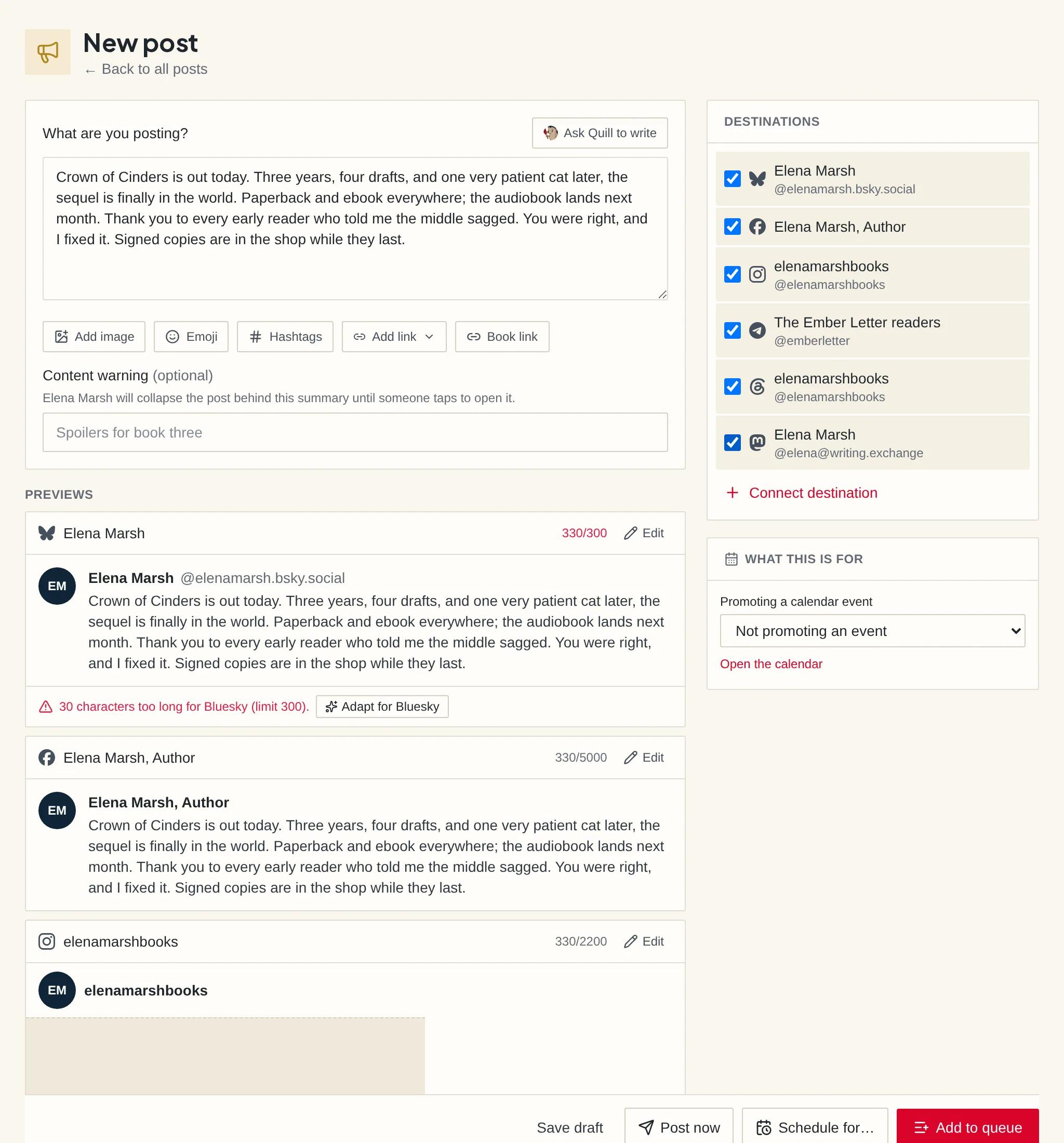
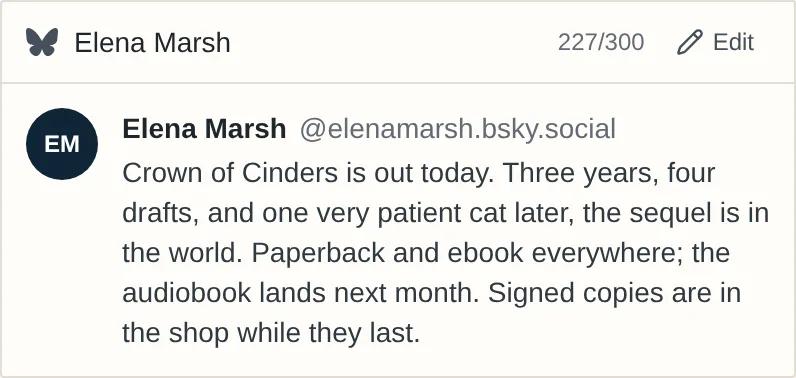
The box is never blank
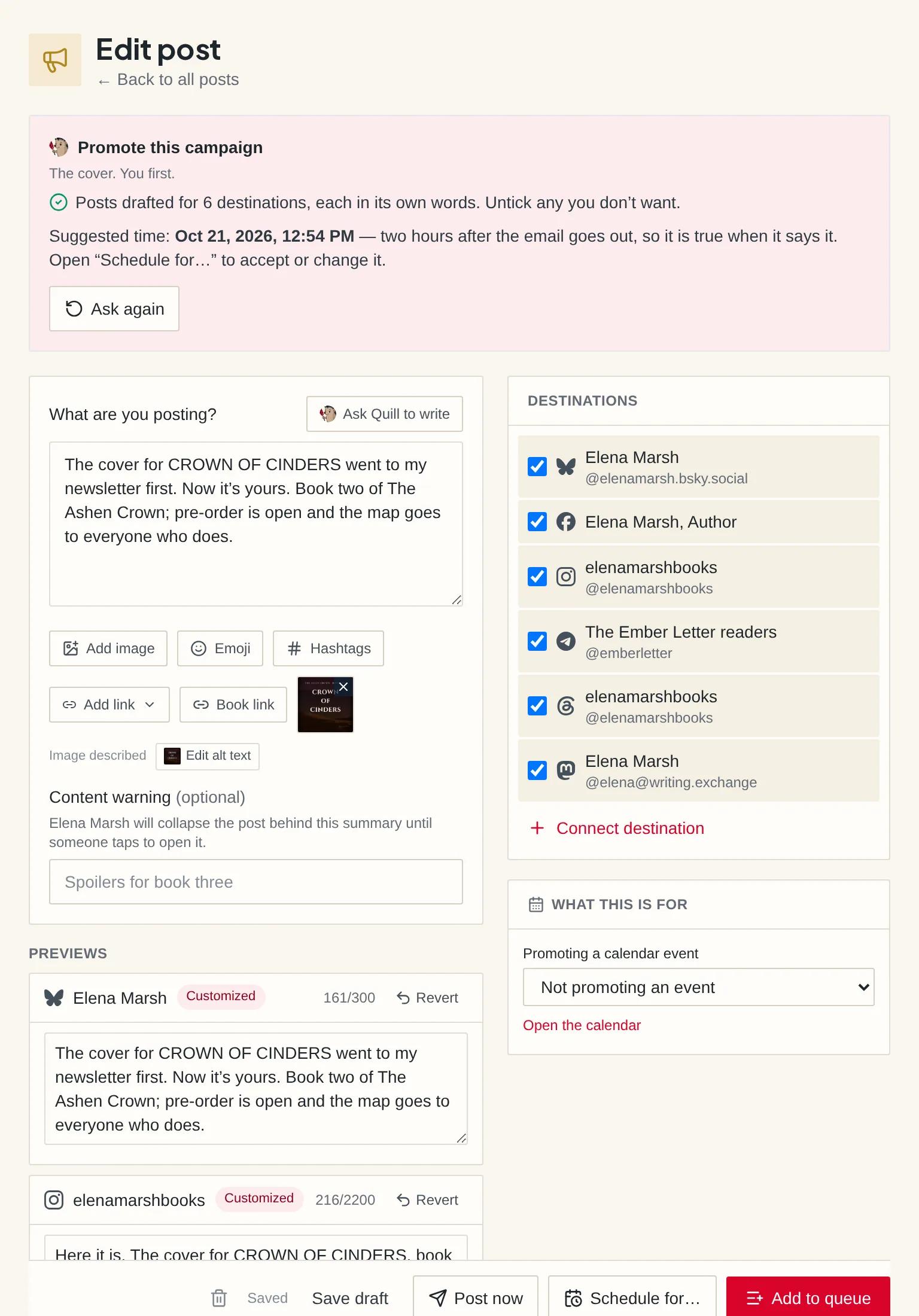
Press one button on an email and Quill writes a post for each destination you have connected — in that platform’s own register, not one text retrimmed for each — with a time suggested around the send. A book, a blog post, a landing page and a free chapter each have the same button.
- Tease before the send, so people subscribe in time to get it; promote after, so followers know it landed
- Start from a moment — cover reveal, preorder push, launch day, review ask — with the book’s name, link and date already in the outline
- Quill drafts; you press the button. Nothing goes out on a timer you didn’t set
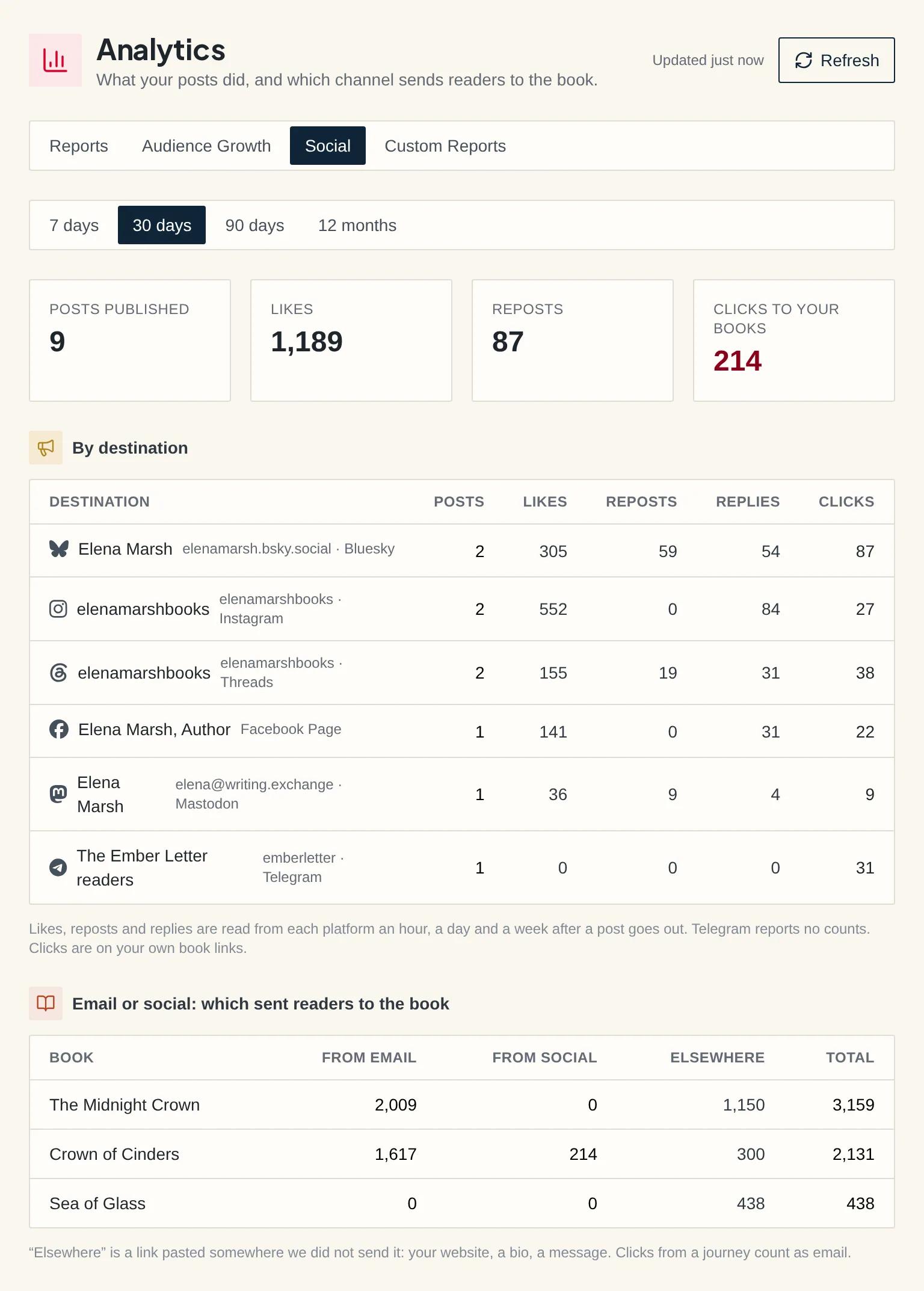
Numbers after publish, and the one report nobody else can draw
Every post reports its likes, reposts and replies from the platform an hour, a day and a week after it goes out — and its clicks to the book, counted on your own link. Because the email and the post are the same launch here, Analytics shows which of them sent readers to the store, book by book.
- Likes, reposts and clicks on the post, on the list, on the campaign page and in the Playbook scorecard
- Email versus social, by book: the channel that sold, not the one that got the likes
- A Bluesky post with a link gets a real link card, built from your book
Set your posting rhythm once, then just write
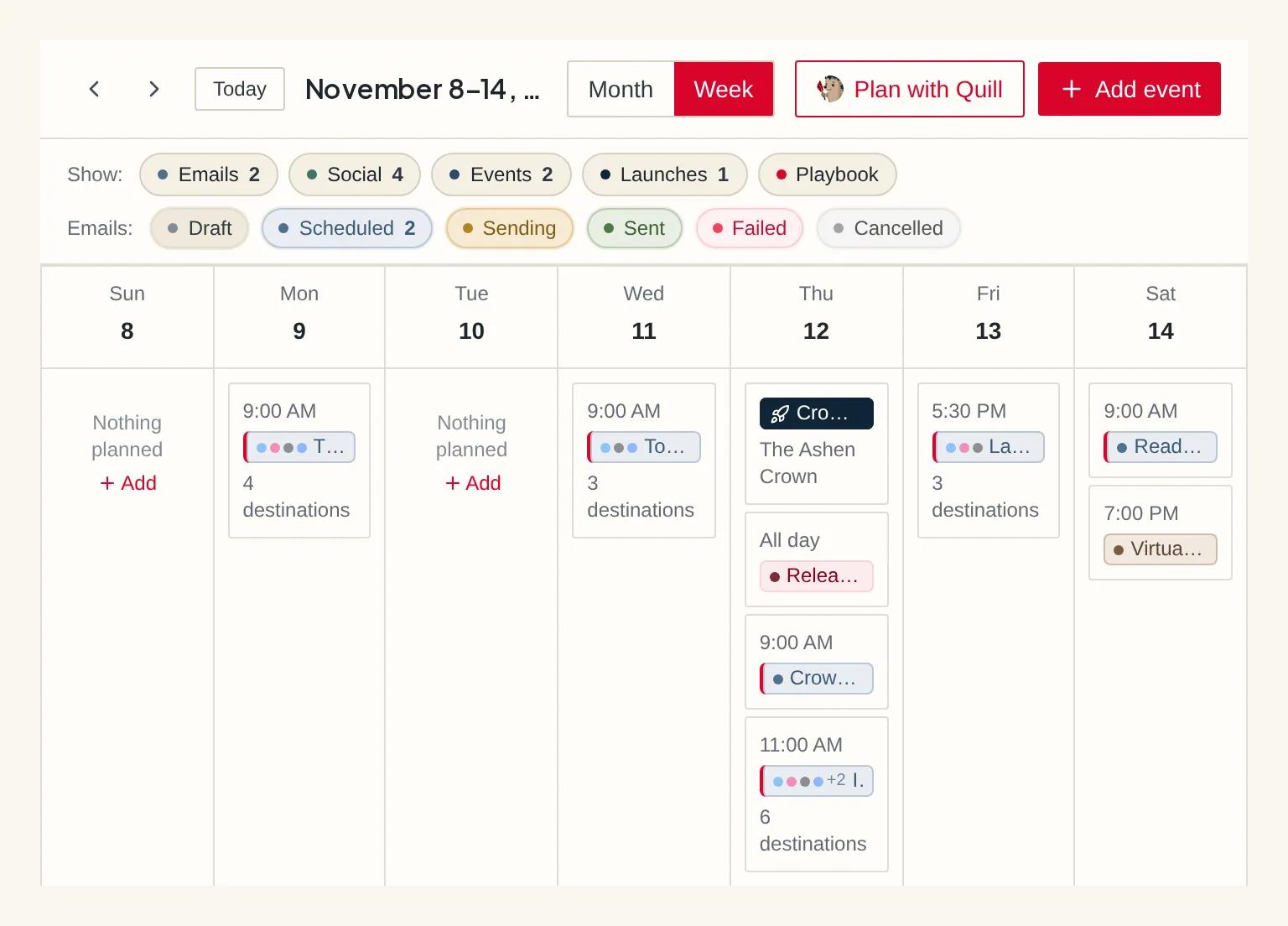
Pick your slots — Monday, Wednesday and Friday at nine, say — and a finished post drops into the next free one. Your posts sit on the same calendar as your emails, so launch week is one grid, and a post can be dragged to another day.
- Per-destination character limits checked while you type, not at publish time three days later
- Honest outcomes: “Bluesky failed, the other two went out” is a real state, not rounded to success or failure
- Anything needing you is collected in one place, and a broken connection is one press to reconnect
Every destination we can genuinely publish to
A platform earns a place here only when we can post to it for you. That makes the list short, and it makes it complete — you won’t discover after signing up that your main channel was never really supported.
Bluesky
Posts appear as you, on your own account.
Mastodon
Posts appear as you, on your own account.
Telegram
Posts go into a channel you run, from AuthorSend rather than under your name.
Instagram
Posts appear as you, on your own account.
Facebook Page
Posts appear as you, on your own account.
Threads
Posts appear as you, on your own account.
X, TikTok and Pinterest are not on this list. Some sit behind platform approvals we have not cleared; others have closed their APIs to tools like ours altogether — so we would rather say so here than sell you a box we can't fill.
Everything between the draft and the post
Posting schedule
Set recurring slots per destination. Finished posts land in the next free one automatically.
One post, many destinations
Each destination keeps its own copy and its own outcome, so a failure on one never hides a success on another.
AI that starts from your email
Drafts come from the campaign you wrote, so the post sounds like the email instead of like a bot.
Your own links, counted
Drop in a book link, signup form or landing page without leaving the post. Every click from a post is credited to that post.
Previews that tell the truth
See the post the way each platform draws it — your picture in its crop, the link card where one will show, the caption fold on Instagram.
Needs attention
Expired connections and failed sends collect in one tab, with a reconnect that keeps your queue.
Part of the playbook
Pick a book and a goal in Playbook and the posts arrive with the emails, the ARC team and the to-dos — cover reveal to launch day to thank-you — as drafts you approve before anything posts.
Start from a moment
Cover reveal, ARC call, preorder push — pick the occasion and start from a ready outline instead of a blank box.
Questions, answered
Bluesky, Mastodon, Telegram, Instagram, Facebook Page and Threads.
Yes. On Telegram, posts go to a channel you run, from your own bot.
No. Write it once; each destination shows its own preview and character count. Edit any one of them, or let Quill fit it.
Yes. Choose your days and times once, and Add to queue drops each post into the next free slot. You can also pick an exact time, or post now.
The others still go out. The failed one shows the platform’s reason and a retry button.
Yes. Each post shows likes, reposts, replies and clicks to your book for every destination, and Analytics shows email versus social, book by book.
Yes, on every plan, with no limit on destinations.
Stop rewriting your launch five times
Start a 14-day free trial and send your next launch to your list and your followers from the same draft.
14-day free trial · Unlimited sends on every plan · Cancel anytime